Hunter Ceiling Fan Remote Control Instructions: An Overview
Hunter fan remotes offer convenient control, but pairing and programming can be tricky․ This guide details procedures, troubleshooting, and model-specific instructions for optimal use․
Understanding Hunter Fan Remote Compatibility
Hunter fan remote compatibility isn’t universal; not all remotes work with every fan model․ Many Hunter remotes require a compatible receiver unit already installed within the fan’s housing․ Older fans might lack this receiver, necessitating an upgrade for remote functionality․ The presence of a “PAIR” button on the remote is a key indicator of pairing capability, though some models pair without it․
Confirming compatibility involves checking the fan’s manual or Hunter’s website for a list of compatible remotes․ Using an incompatible remote simply won’t establish a connection, regardless of programming attempts․ Model 99772 is a common example, but specific instructions vary․
Identifying Your Hunter Remote Model
Hunter remote models are often indicated by a number printed on the remote’s face or back․ Common models include 99772 and K5324-01․ Locating this number is crucial for finding the correct programming instructions and ensuring compatibility with your specific fan․ Without the model number, troubleshooting becomes significantly harder, as procedures differ between versions․
If the number is obscured or missing, compare your remote’s appearance to images online․ Note the button layout and any unique features․ Remember that some remotes don’t include a battery with purchase (like K5324-01), requiring a CR2032 battery․

Pairing Your Hunter Remote
Pairing establishes communication between the remote and fan receiver․ Successful pairing often involves holding fan and light buttons simultaneously, or the forward/reverse button, for several seconds․
Initial Pairing Procedure
To initially pair your Hunter fan remote, begin by ensuring power is supplied to the ceiling fan․ Within three minutes of restoring power, press and hold both the FAN and LIGHT buttons on the remote simultaneously for a minimum of four seconds․ A successful pairing is often indicated by the fan blades briefly moving or a response from the light fixture․
If the initial attempt fails, try again, ensuring a clear line of sight between the remote and the fan receiver․ Some models may require pressing any button on the remote within 30 seconds of power restoration to finalize the connection․ Remember to confirm batteries are correctly installed before attempting pairing․
Resetting the Receiver for Pairing
If pairing attempts repeatedly fail, resetting the receiver is crucial․ Begin by completely cutting power to the ceiling fan at the circuit breaker for at least 30 seconds․ This fully discharges the receiver’s memory, clearing any previous pairings․ After restoring power within three minutes, initiate the pairing process as described in the initial pairing procedure․
Confirm batteries are fresh and correctly installed in the remote․ If unsuccessful after resetting, double-check compatibility and consider the possibility of a faulty receiver or remote requiring replacement․ A stable power supply is essential during the reset and pairing process․
Pairing After Power Outage
Following a power outage, your Hunter fan remote may lose its connection to the receiver, necessitating re-pairing․ Restore power to the fan and, within three minutes, press and hold both the fan and light buttons simultaneously for a minimum of four seconds․ Observe for a response from the fan, indicating successful pairing․
If the fan doesn’t respond, repeat the process․ Ensure fresh batteries are installed in the remote․ If issues persist, reset the receiver by cutting power for 30 seconds before attempting to pair again, as described in the receiver reset instructions․
Remote Control Button Functions
Hunter fan remotes feature buttons for speed control, light adjustment, forward/reverse rotation, and complete fan/light shutoff, offering versatile operation․
Speed Control Buttons
Hunter ceiling fan remote controls typically include buttons dedicated to adjusting the fan’s speed․ These buttons usually cycle through multiple speed settings – Low, Medium, and High – allowing for customized airflow․ Pressing the speed button repeatedly will increment through these levels․ Some models may also feature a “breeze” or “natural” mode, simulating a more variable airflow pattern․ Understanding the specific speed increments for your model is key to comfortable operation․ Ensure the receiver is properly paired for responsive speed adjustments․ If the fan doesn’t respond, check battery levels and re-pair the remote․
Light Control Buttons
Hunter fan remotes commonly feature dedicated buttons for controlling the integrated light fixture․ A primary “Light” button typically toggles the light on and off with each press․ Some remotes include a dimmer function, allowing you to adjust the brightness level․ This is often achieved by pressing and holding the “Light” button, or using dedicated dimmer buttons․ Compatibility with LED bulbs is crucial; ensure your bulbs are suitable for remote dimming․ If the light doesn’t respond, verify bulb functionality and remote pairing․ A faulty receiver can also cause light control issues․
Forward/Reverse Rotation
Hunter ceiling fan remotes include a “Forward/Reverse” button to change the blade direction․ In warmer months, use forward rotation (counter-clockwise) to create a cooling breeze․ During colder seasons, switch to reverse rotation (clockwise) to gently circulate warm air trapped near the ceiling․ Pressing and holding this button often initiates the change, sometimes accompanied by a beep from the receiver․ Ensure the fan is powered on before attempting to change direction․ If the fan doesn’t respond, check remote pairing and receiver functionality․ Consistent operation ensures year-round comfort․
Fan Off/Light Off Buttons
Hunter fan remotes typically feature dedicated “Fan Off” and “Light Off” buttons for independent control․ Pressing “Fan Off” stops the blades’ rotation while leaving the light operational, and vice versa․ Some remotes combine these functions into a single “Off” button, cycling through fan, light, and both off states with repeated presses․ Confirm the receiver is properly paired for reliable operation․ If either function fails, check battery levels and remote programming․ These buttons provide convenient, separate control over fan speed and illumination, enhancing user experience․
Troubleshooting Common Issues
Hunter fan remote problems include unresponsive controls, pairing failures, and light malfunctions․ Resetting the receiver or replacing batteries often resolves these common operational difficulties․
Remote Not Responding
If your Hunter fan remote isn’t responding, begin with the simplest solutions․ First, ensure a fresh CR2032 battery is correctly installed, verifying polarity․ Next, confirm there’s no obstruction between the remote and the fan receiver․ Try pressing buttons firmly and directly towards the fan․
If issues persist, attempt a receiver reset by cutting power to the fan for approximately 30 seconds, then restoring it․ Immediately after power restoration, within three minutes, press and hold both the fan and light buttons simultaneously for at least four seconds to re-establish communication․ If still unresponsive, consider potential interference from other devices․
Fan Not Responding to Remote
When your Hunter ceiling fan doesn’t react to the remote, initial troubleshooting mirrors that for a completely unresponsive remote․ Verify the battery (CR2032) is new and installed correctly․ Confirm a clear line of sight exists between the remote and the fan’s receiver unit․ A receiver reset is often effective: disconnect power to the fan for 30 seconds, then restore it․
Immediately after restoring power, attempt re-pairing by holding the Forward/Reverse button until a beep confirms linkage․ If pairing fails, repeat the reset process․ Remember some older Hunter remotes lack a dedicated “PAIR” button, requiring the reset method․
Light Not Working with Remote
If the fan operates with the remote, but the light doesn’t, first ensure the bulb is good and properly seated․ Next, verify the light control buttons on the remote are functioning – test with a fresh battery․ A receiver reset can often resolve light control issues; disconnect power to the fan for 30 seconds, then restore it․
After power restoration, attempt re-pairing․ Simultaneously pressing the FAN and LIGHT buttons for four seconds can re-establish the connection․ Confirm the remote is compatible with the light kit installed, as some older remotes may not support all features․
Pairing Issues and Solutions
If pairing fails, ensure the receiver is within range of the remote – typically within 20 feet․ A common solution involves resetting the receiver by cutting power to the fan for at least 30 seconds before restoring it․ Immediately after restoring power, press any button on the remote within 30 seconds to initiate pairing․
For models without a dedicated “PAIR” button, holding the Forward/Reverse button until a beep confirms linkage is crucial․ If unsuccessful, confirm battery polarity and charge․ Remember, not all Hunter remotes have a pairing function․
Battery Installation and Replacement
Hunter remotes typically require a CR2032 battery․ Ensure correct polarity during installation, and regularly check battery levels for optimal remote functionality and responsiveness․
Battery Type Required (CR2032)
Hunter ceiling fan remotes are designed to operate with a specific battery type: the CR2032․ This is a common button-cell battery readily available at most drugstores, supermarkets, and hardware stores․ Using a different battery type may result in reduced remote functionality or complete failure to operate․
It’s crucial to verify you are purchasing a CR2032 battery, as similar-looking batteries exist․ Some remotes, like the Model 99772, specifically state that the battery is not included with the remote upon purchase, requiring a separate acquisition․ Always handle batteries with care and follow proper disposal guidelines․
Proper Battery Installation
Hunter remote battery installation typically involves sliding open the battery compartment cover, usually located on the back of the remote․ Insert the CR2032 battery, ensuring the positive (+) side faces up, aligning with the markings inside the compartment․ Gently press down to secure the battery in place․
Once the battery is correctly positioned, carefully slide the compartment cover closed until it clicks shut․ Incorrect installation can prevent the remote from functioning․ Refer to the remote’s specific instructions, as some models may have slightly different compartment designs․ Always double-check the battery polarity before closing the cover․
Checking Battery Levels
Hunter remote functionality relies on sufficient battery power․ While most remotes lack a dedicated battery level indicator, diminished performance – such as reduced range or delayed response – often signals low batteries․ Regularly test the remote’s operation by attempting to control the fan and light․
If responsiveness is poor, replace the CR2032 battery as a first troubleshooting step․ Consider keeping spare batteries readily available․ A fresh battery ensures reliable operation․ If issues persist after a battery change, investigate other potential causes, like pairing problems or receiver malfunctions․
Advanced Features & Settings
Hunter remotes may offer pairing buttons or programmable features․ Explore your model’s capabilities for customized control and enhanced functionality within your ceiling fan system․
Using the “Pair” Button (If Applicable)
Some Hunter remote models feature a dedicated “Pair” button on either the remote itself or the receiver unit within the fan’s housing․ If your remote has this button, it simplifies the pairing process considerably․ Typically, you’ll need to access the receiver – often requiring removing the fan’s light kit – and locate the pairing button․
Pressing and holding this button for a specified duration (usually several seconds) puts the receiver into pairing mode․ Simultaneously, press a button on the remote within a short timeframe (like 30 seconds) to establish a connection․ Successful pairing is often indicated by a beep from the receiver or a change in the fan’s behavior․ Not all Hunter remotes have this feature, so consult your specific model’s instructions․
Programming Additional Features
Beyond basic pairing, some Hunter remotes allow for programming of advanced features, though availability varies significantly by model․ This might include setting custom fan speeds, adjusting light dimming ranges, or creating personalized schedules․ Unfortunately, many remotes, like the Model 99772, lack detailed programming instructions included with the device itself․
Often, accessing these features requires a specific sequence of button presses, and information is scarce․ Checking the Hunter Fan customer support website or searching online forums dedicated to Hunter fans can sometimes reveal hidden programming codes or procedures․ Be aware that not all features are universally supported․
Hunter Remote Control Models
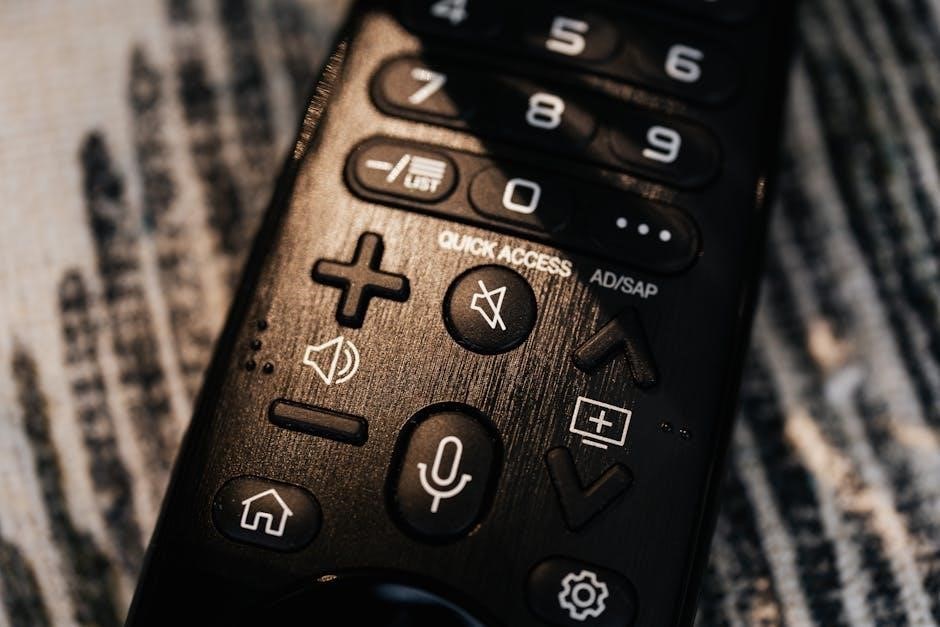
Hunter offers diverse remote models, including the popular 99772․ Compatibility and specific instructions differ; identifying your model is crucial for proper operation and troubleshooting․
Model 99772 Specific Instructions
Model 99772 requires a CR2032 battery for operation, which is not always included with purchase․ Installation involves carefully opening the battery compartment and correctly positioning the battery․ Before installation, ensure the fan is set to high speed using the pull chains․ To pair, hold both the fan and light buttons simultaneously for at least four seconds after restoring power․
This remote doesn’t always require programming, but if issues arise, resetting the receiver by cutting power for 30 seconds can help․ Remember that this model doesn’t have a dedicated “PAIR” button, so the hold-button method is essential․ Refer to the included documentation for detailed diagrams and safety information․
Other Common Hunter Remote Models
Many Hunter remotes lack a dedicated “PAIR” button, necessitating alternative pairing methods․ Some models pair by holding the Forward/Reverse button until a beep confirms connection․ After a power outage, re-pairing is often required, typically within three minutes of power restoration․ Resetting the receiver by briefly cutting power (30 seconds) can resolve pairing difficulties․
Compatibility isn’t universal; not all remotes work with every Hunter fan due to receiver variations․ Always verify compatibility before purchasing a replacement․ Ensure fresh CR2032 batteries are installed, as low battery levels can cause pairing failures and erratic behavior․ Consult the fan’s manual for specific model instructions․

Finding Replacement Remotes
Replacement Hunter remotes are available online and at home improvement stores․ Confirm compatibility with your fan model before purchasing to ensure proper functionality․
Where to Purchase Replacement Remotes
Hunter replacement remotes can be found through various channels, offering convenience for customers needing a new control․ Major retailers like Home Depot and Lowe’s frequently stock common Hunter remote models, both in-store and online․ Online marketplaces such as Amazon and eBay provide a wider selection, including potentially discontinued models․
The official Hunter Fan website is also a direct source, ensuring compatibility․ Additionally, specialized ceiling fan parts retailers often carry Hunter remotes․ When purchasing, always verify the model number to guarantee it matches your fan’s receiver for seamless operation․ Be mindful of battery inclusion, as some remotes require separate purchase․
Ensuring Compatibility with Your Fan
Hunter remotes aren’t universally interchangeable; compatibility hinges on the receiver within your fan․ Many older Hunter remotes lack a “PAIR” button, limiting their use with newer fan models․ Crucially, confirm the remote’s frequency matches your fan’s receiver – typically 315MHz or 303MHz․
Check your fan’s manual or the receiver unit itself for the compatible remote model number․ If unsure, contacting Hunter customer support with your fan’s model number is recommended․ Using an incompatible remote can result in no response or erratic function, necessitating a compatible replacement for proper control․

Safety Precautions
Always disconnect power before battery installation or receiver access․ Avoid electrical shock and handle the remote with care, preventing damage from moisture or impact․
Avoiding Electrical Shock
Prioritize safety when working with your Hunter ceiling fan and remote control․ Always disconnect the power supply at the circuit breaker or fuse box before attempting any installation, battery replacement, or maintenance on either the fan or the remote receiver unit․ Never work with electrical components while standing in wet conditions or with damp hands․
Ensure the fan is completely powered off before touching any wiring․ If you are uncomfortable working with electrical wiring, consult a qualified electrician․ Do not attempt to modify the wiring of the fan or remote receiver in any way, as this could create a hazardous situation․ Regularly inspect the wiring for any signs of damage or wear and tear․
Proper Remote Handling
Treat your Hunter remote with care to ensure longevity and reliable operation․ Avoid dropping the remote, as internal components can be damaged․ Do not expose the remote to extreme temperatures or direct sunlight for extended periods․ Clean the remote with a soft, dry cloth; avoid using harsh chemicals or abrasive cleaners․
Keep the remote away from liquids to prevent corrosion․ When not in use, store the remote in a safe, dry location․ Avoid pressing buttons with excessive force․ Regularly check the battery compartment for corrosion and replace batteries promptly when needed to prevent leakage and damage․
Resources and Support
Hunter Fan provides extensive customer support, including online manuals, FAQs, and direct assistance for remote control issues and programming guidance․
Hunter Fan Customer Support
Hunter offers dedicated customer support to assist with any remote control challenges you may encounter․ Their team can provide guidance on pairing procedures, troubleshooting common issues like unresponsive remotes, and navigating advanced features․ You can typically find contact information – including phone numbers and email addresses – on the Hunter website․
Furthermore, Hunter’s support representatives are knowledgeable about various remote models, including the 99772, and can offer specific instructions tailored to your fan․ Don’t hesitate to reach out if you’re struggling with programming, battery installation, or any other aspect of your remote’s functionality․
Online Manuals and FAQs
Hunter’s website provides a comprehensive library of online manuals for various fan models and remote controls, including the 99772․ These manuals detail pairing instructions, button functions, and troubleshooting steps․ A frequently asked questions (FAQ) section addresses common concerns, such as resetting the receiver after a power outage or resolving pairing issues․
These resources are readily accessible and offer a self-service approach to resolving remote control problems․ Searching the Hunter support website with keywords like “remote pairing” or “troubleshooting” will quickly yield relevant information and guides to assist you;
Hunter Fan Remote Programming
Hunter remotes may require programming after battery changes or power interruptions․ Pairing often involves holding fan and light buttons simultaneously for several seconds․
Understanding Programming Modes
Hunter fan remotes utilize different programming modes depending on the model and receiver․ Some remotes feature a dedicated “PAIR” button, initiating a linking process with the fan․ Others rely on a simultaneous button press – typically the fan and light buttons – held for a specific duration, often four seconds, to enter pairing mode․
Successful programming is indicated by a beep from the receiver unit within the fan housing․ If the initial attempt fails, resetting the receiver by briefly cutting power (around 30 seconds) can resolve compatibility issues․ Always ensure fresh batteries are installed before attempting any programming steps, as low battery power can hinder the process․
Step-by-Step Programming Guide
First, ensure the fan has power․ If newly installed, or after a power outage, initiate pairing within three minutes of restoring power․ Second, locate the receiver within the fan canopy․ Third, press and hold the ‘FAN’ and ‘LIGHT’ buttons simultaneously for four seconds․ Listen for a beep confirming receiver activation․
If no beep is heard, cut power to the fan for 30 seconds, then repeat the button-holding process․ Alternatively, hold the Forward/Reverse button until a beep sounds․ Finally, test all remote functions – speed control, light operation, and direction reversal – to verify successful programming․